
Dashboard
The dashboard is the first thing you see when you open TaskView. It pulls together the most important information from all your projects into one screen.
Widgets
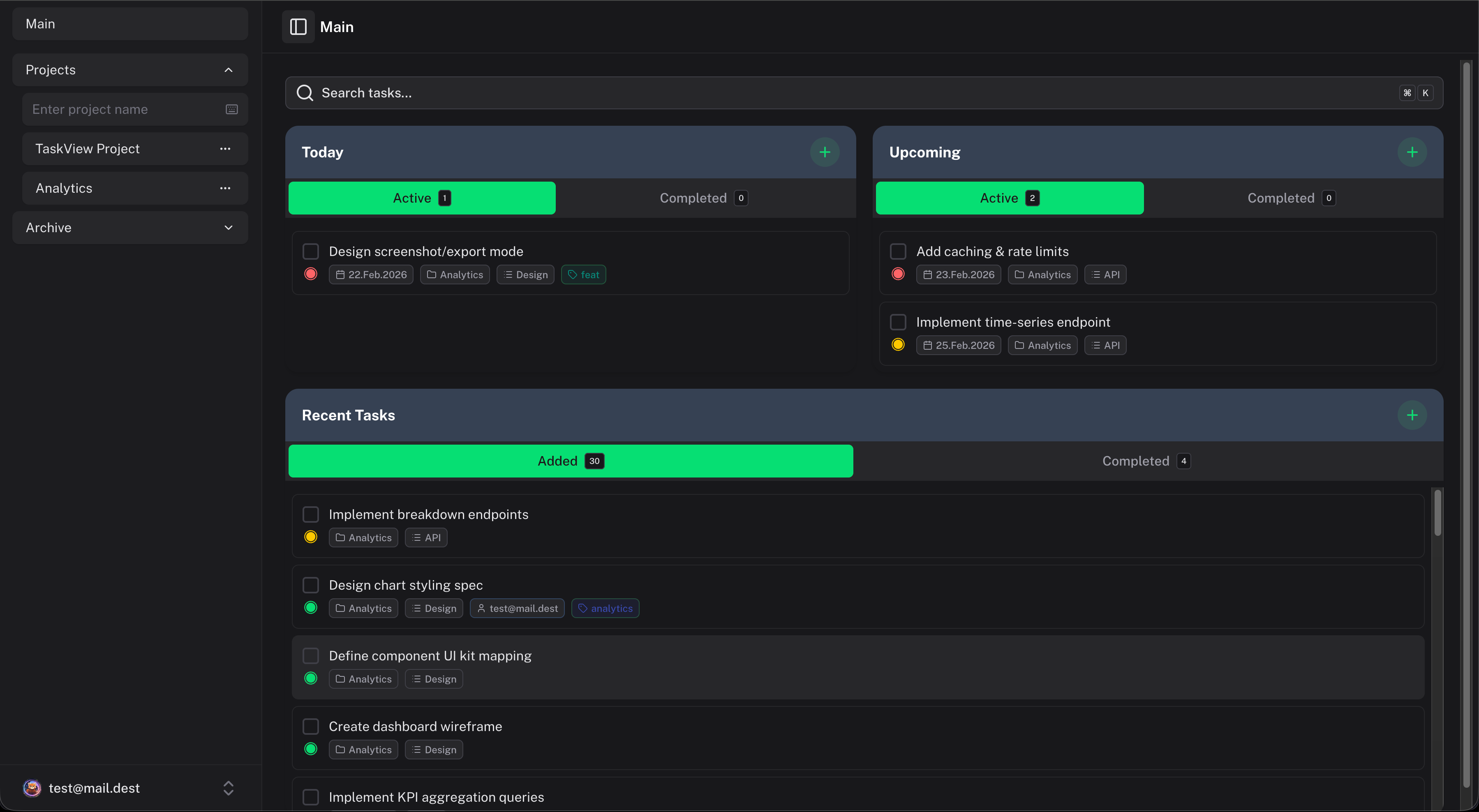
Today's tasks
Tasks due today across all projects. This is your daily focus list - what needs attention right now.
Upcoming deadlines
Tasks due in the coming days. Helps you plan ahead and avoid last-minute surprises.
Recent activity
A feed of recent changes - new tasks, completed tasks, updates. Useful for staying in the loop on what your team is doing.
Completed tasks
What's been finished recently. A satisfying way to see progress and confirm that work is actually getting done.
How it works
The dashboard aggregates data across all projects you have access to. If you're a member of five projects, you'll see tasks from all five.
Tasks appear on the dashboard based on their deadlines and activity timestamps. There's no separate configuration - the dashboard just reflects the state of your tasks.
Tips
- Check the dashboard first thing - it gives you a clear picture of what to focus on today
- Use deadlines consistently - the dashboard is only as useful as the data behind it. If your tasks don't have deadlines, the "Today" and "Upcoming" widgets won't be helpful.
- Don't ignore overdue tasks - if something is overdue, either do it, move the deadline, or remove it. A growing list of overdue items makes the dashboard noisy.
Dependency Graph
Visualize task dependencies with an interactive network graph in TaskView. Connect tasks, identify blockers and bottlenecks, plan work order, and manage complex project workflows visually.
Notifications
Real-time and push notifications in TaskView - deadline alerts, assignment notifications, per-user preferences, and multi-channel delivery via WebSocket and Firebase Cloud Messaging.